 nanalLabs Blog
The basic rhythm of sealing is: write → stop typing → sealed five minutes later. Nothing is sealed mid-keystroke — your writing settles into one version once your hands rest. Why five minutes? Sealing on every sentence would drown the history in noise; waiting much longer would blur the "what was written that day" unit of evidence.
The countdown starts when you save
Write in a note inside the sealing scope and watch the status bar.
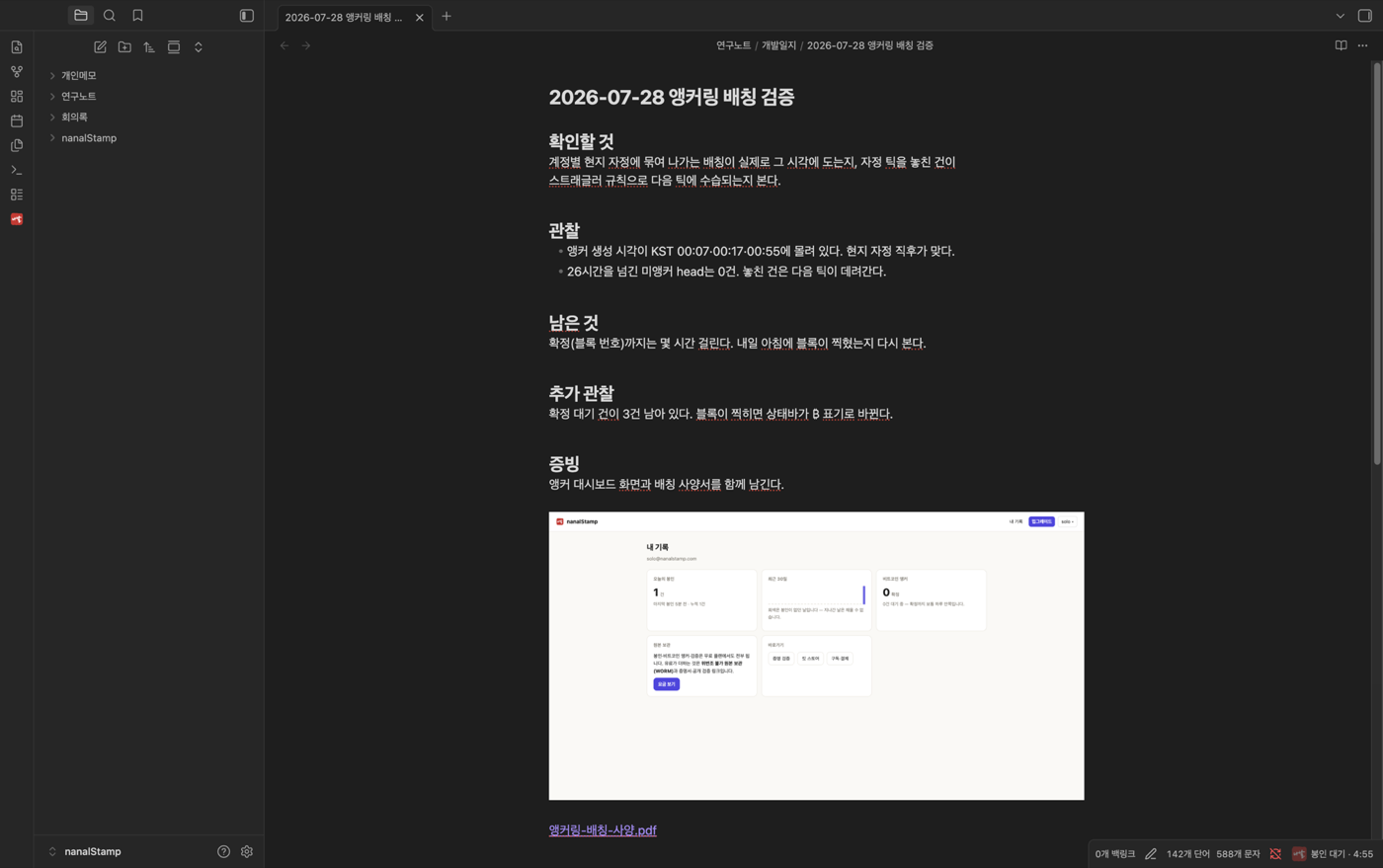
"Sealing in · 4:56" — the countdown restarts if you keep writing; it never interrupts you mid-thought.
When time is up, it seals itself with no action from you.
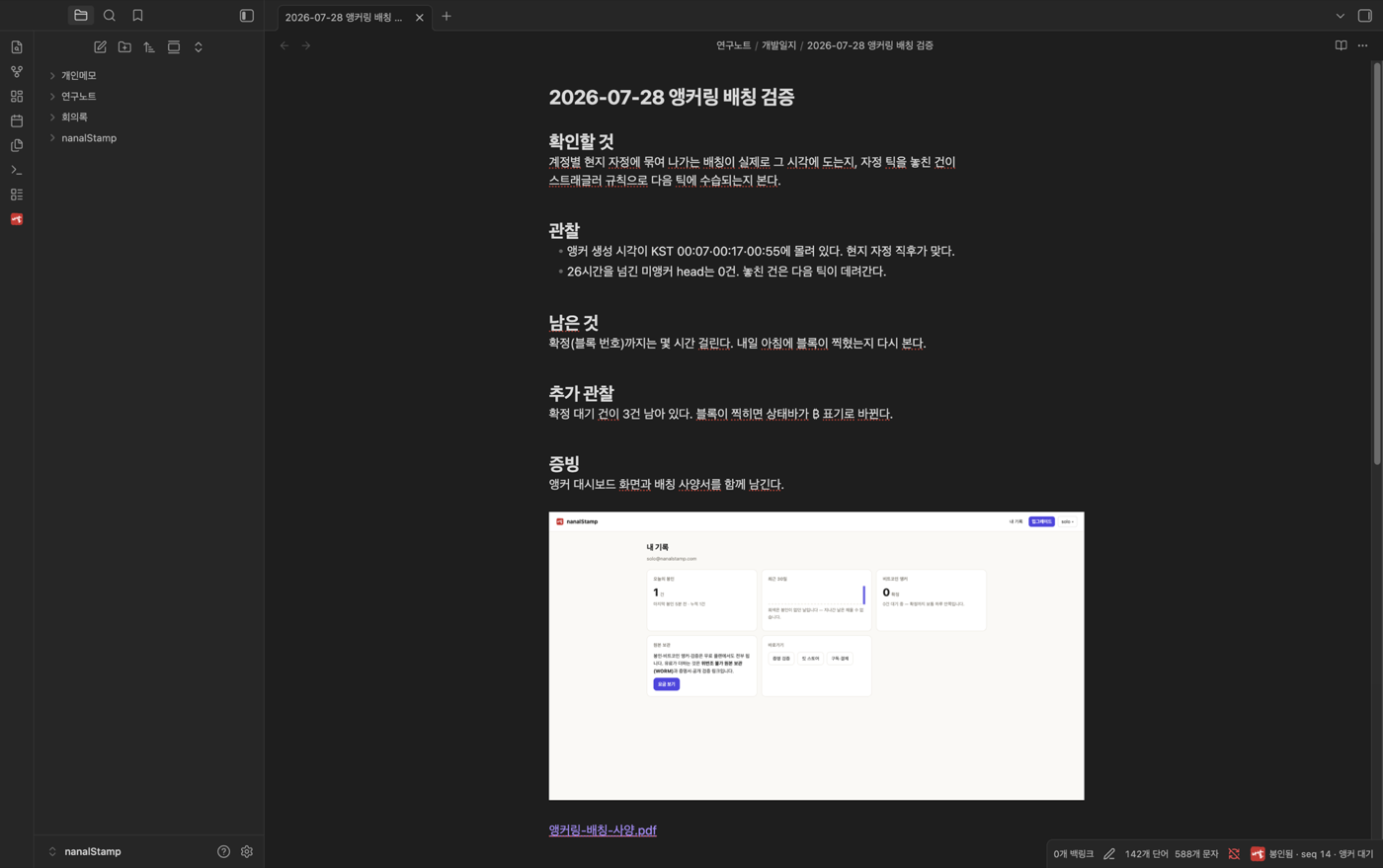
"Sealed · seq N · awaiting anchor" — seq is this seal's position in your account chain. "Awaiting anchor" means it hasn't been fixed into Bitcoin yet; that happens automatically at your local midnight (anchoring explained).
Edits stack versions — nothing is erased
Add a paragraph to a sealed note. Change even one character and it returns to the countdown; five minutes later a new version seals. The previous seal is never erased — yesterday's draft and today's final each carry their own timestamped proof. See the restore guide for opening and recovering past versions.
When you need it sealed right now
Ribbon seal icon → "Seal this note" seals immediately.
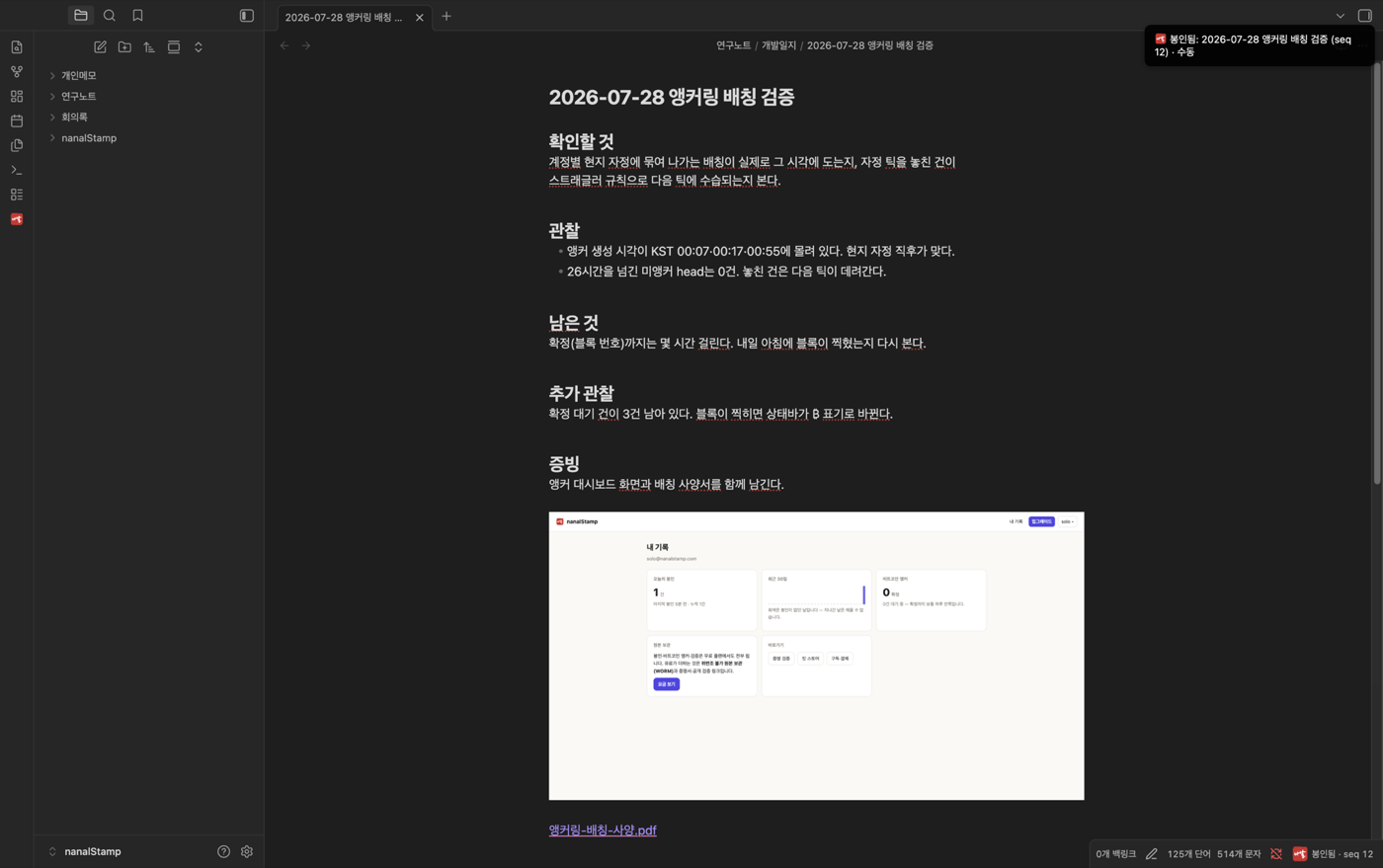
"Sealed: … (seq N) · manual" — for the moments before a submission or a meeting, when now is what belongs on record. Follow with "Anchor to Bitcoin now" from the same menu to submit the anchor immediately too.
A note's proof & timeline
Click the seal indicator in the status bar, or ribbon → "Proof & timeline for this note."
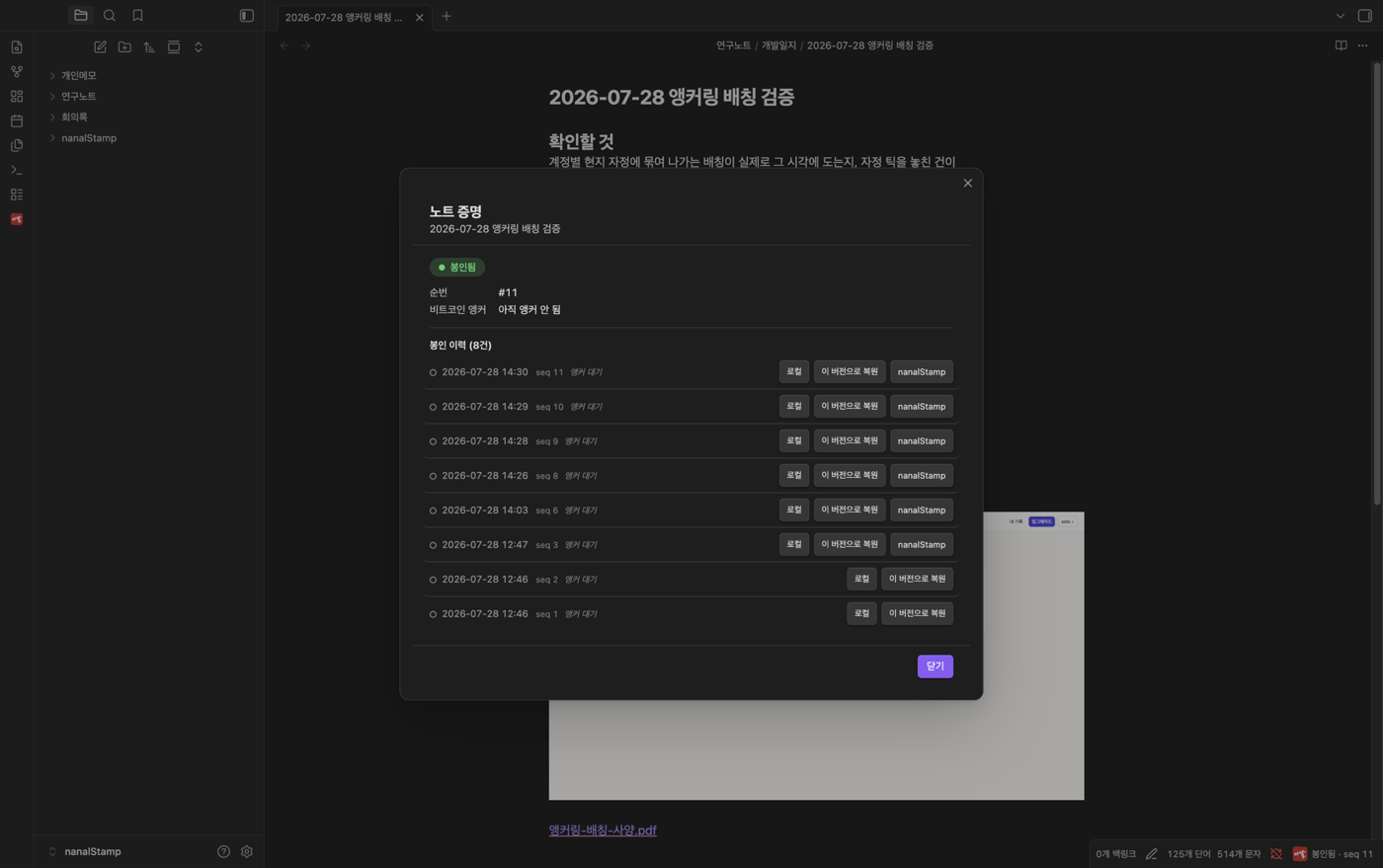
The note's full seal history — time, seq, and anchor status per row, with "Local" to open that version read-only and "Restore this version" to roll back. The buttons at the bottom — certificate PDF, public verification link, submission package — are covered in the proof guide.
The ribbon menu is the front door
Click the seal icon for a grouped menu: tasks / sealing / certificates & sharing / nanalStorage / status / account. Anything needing attention shows a red badge with a count — no badge is the normal state.