 nanalLabs Blog
First, to be clear: sealing, Bitcoin anchoring, and verification all work on the free tier. We don't put the core of evidentiary strength behind a paywall. Paid plans (Lite / Pro / Max) add three things — cloud WORM storage of your originals, certificate PDFs, and public verification links.
The differences, in one table
| FREE | Paid (Lite / Pro / Max) | |
|---|---|---|
| Sealing · Bitcoin anchor · verification | ✅ everything | ✅ everything |
| Where originals live | local archive on this device only | + cloud WORM (no modify, no delete) |
| Image/PDF attachment originals | local only | ✅ stored in the cloud too |
| Certificate PDF · public links | — | ✅ |
| Capacity | — | Lite 1GB / Pro 10GB / Max 30GB (cumulative) |
Capacity is cumulative because sealed originals can never be deleted (WORM) — deleting notes does not free space. See pricing (annual plans).
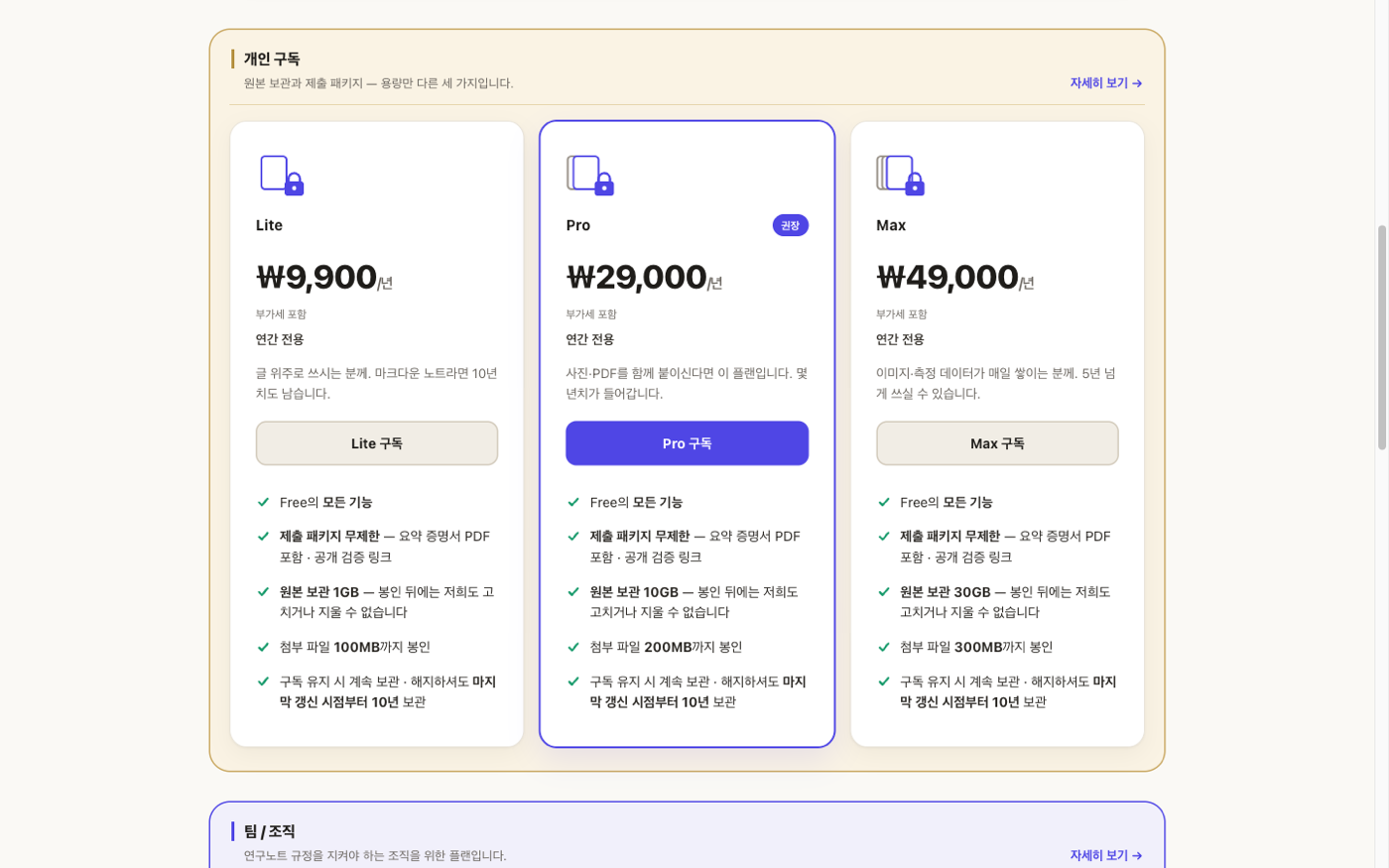
The three personal plans. Also reachable from ribbon → "View pricing."
What changes when you subscribe
Complete a subscription and refresh the plugin settings:
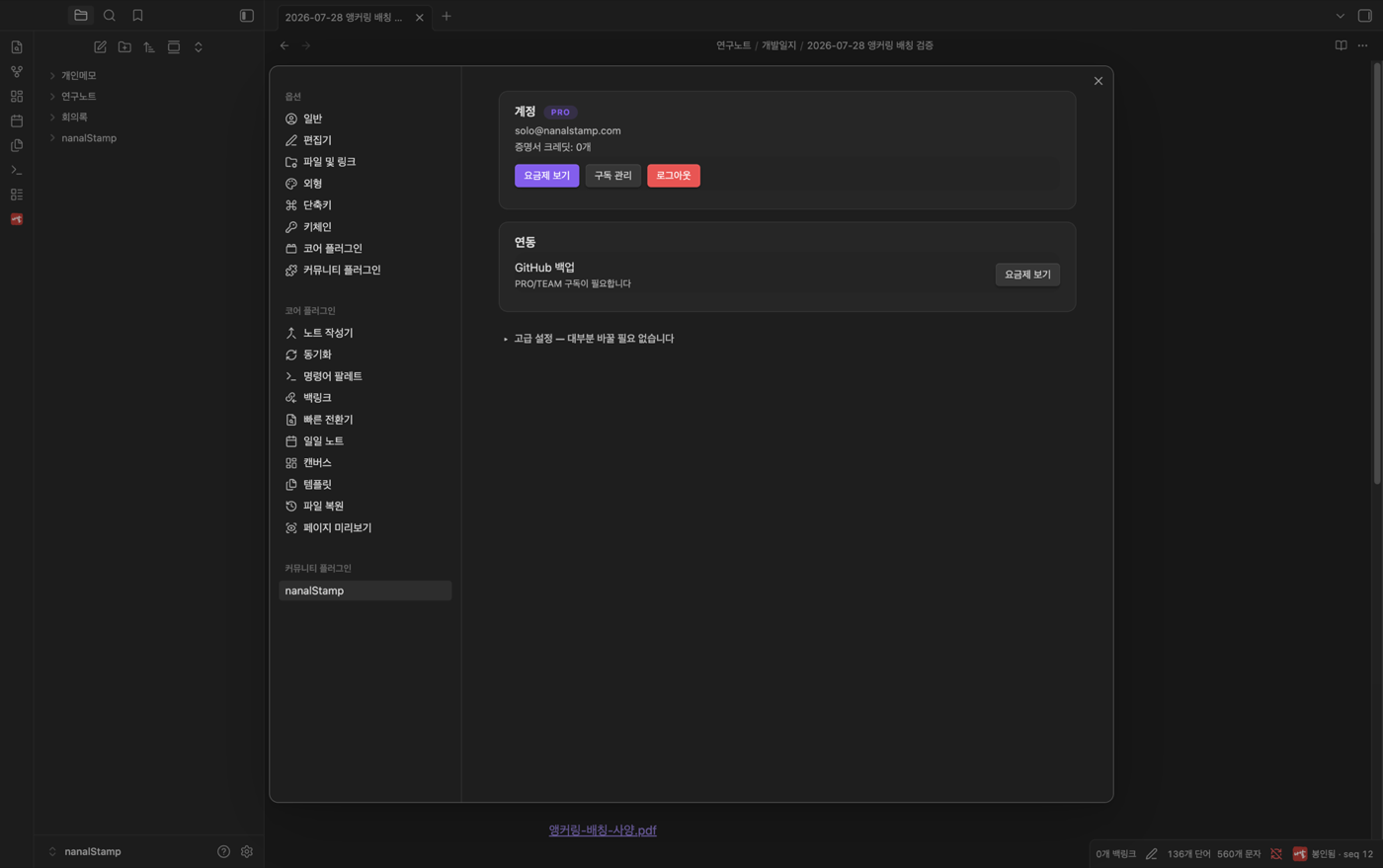
The account card gains a PRO badge and plan name, and original storage (nanalStorage) turns on. Crucially, originals of everything you sealed on the free tier are backfilled — your earlier history is not left behind.
Attachments are sealed and stored too
Embed a screenshot or link a PDF in a note, and not just the hash — the attachment original goes to the cloud as well. Referenced attachments are sealed regardless of which folder they sit in, and appear alongside notes in the storage browser.
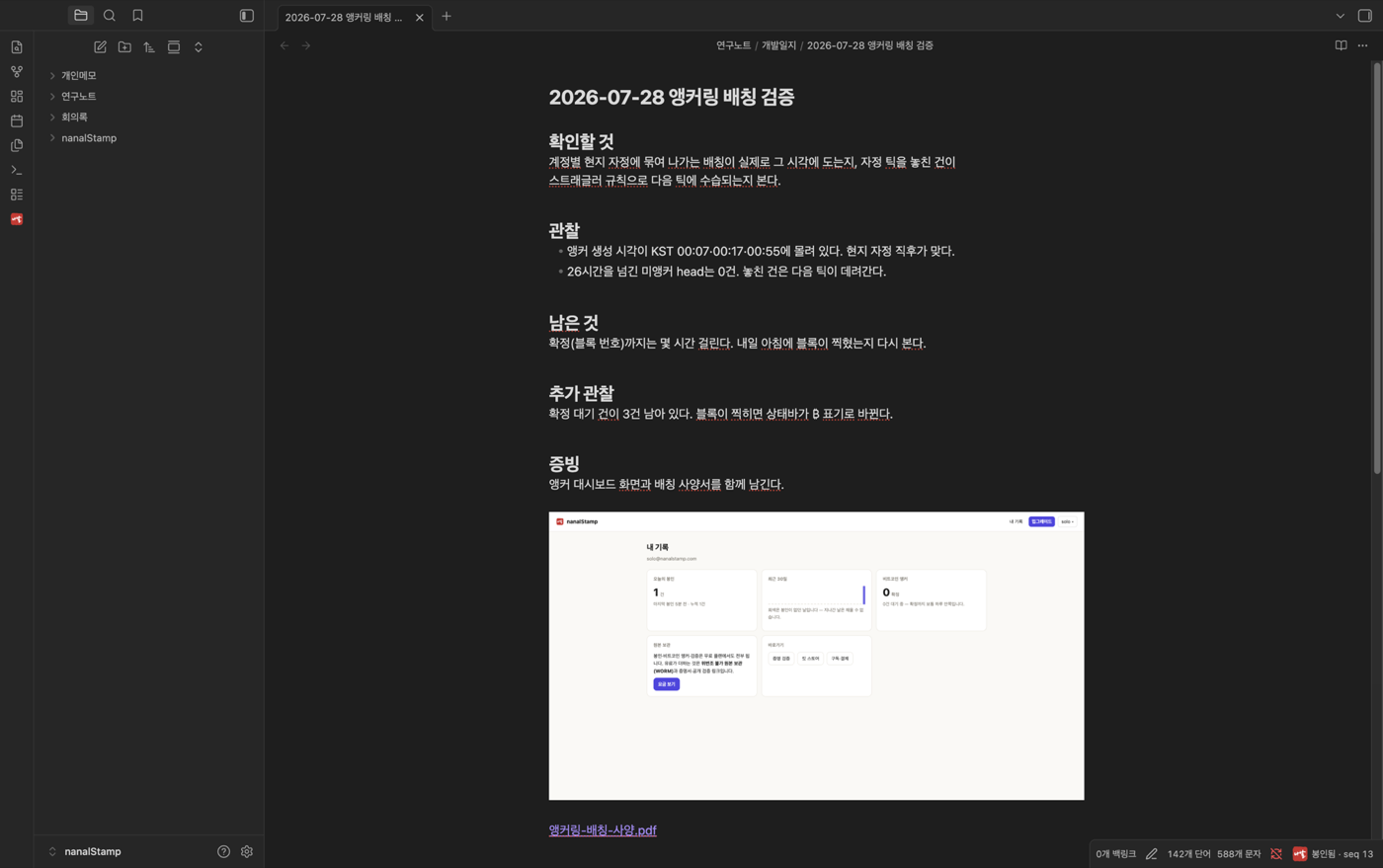
Experiment photos, spec PDFs, and instrument data join the same evidence system as the notes that reference them.
Oversized attachments — the note holds, on purpose
Link a file above your plan's limit and the note is held, not sealed.

A red ribbon badge and "⚠ seal held" with the file name, size, limit, and what to do. Sealing the note while silently dropping its attachment would make incomplete evidence — so the plugin stops and tells you. Shrink the file and it seals automatically on the spot.
Expiry and account deletion are different things
Expiry is quiet. You get one notice; sealing, verification, and the local archive continue; only cloud storage of new originals stops. Originals already stored remain for their retention period.
Account deletion is different. It destroys the encryption keys for
your stored originals — re-registering with the same email cannot recover
them. Download what you need before deleting.
Subscribing from abroad
International users pay in USD with local tax handled automatically by the Merchant of Record. Usage, expiry, and auto-renewal live on one screen at Account — uploads (original storage) and seals (hash-only) are shown as separate axes, because they are.
Next: Opening past versions, recovering deleted notes — Rewind