 nanalLabs Blog
Seals stack as versions. That is why you can open a past state of any note, roll back to it, and even recover notes you deleted. This guide covers all four: viewing, restoring, deleted-note recovery, and bulk reconstruction.
1. Opening a past version
Open the proof & timeline on a note you've edited and sealed several times.
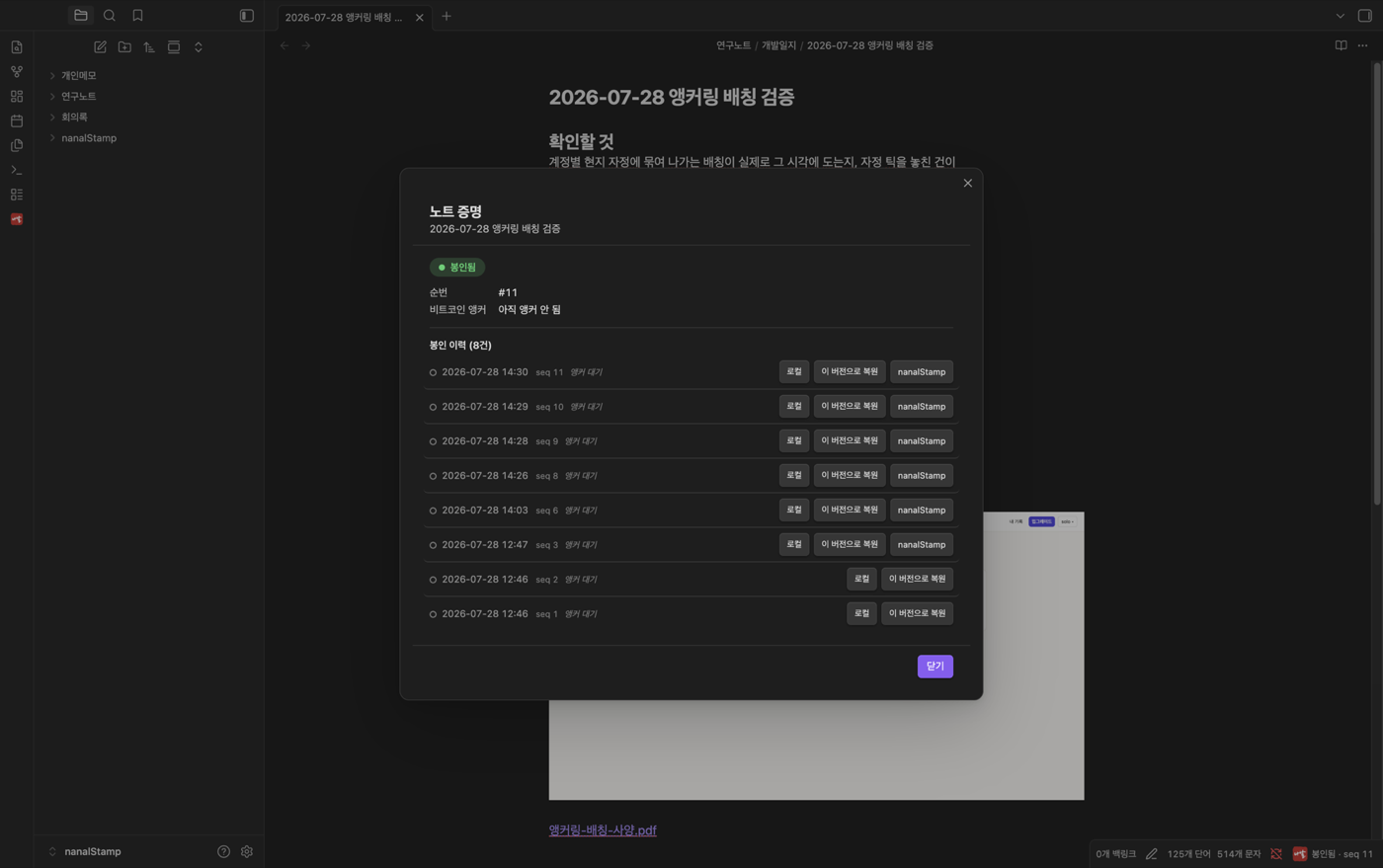
Each row carries the time, seq, and anchor status, plus "Local" and "Restore this version" buttons.
Click "Local" on any row and that version opens read-only.
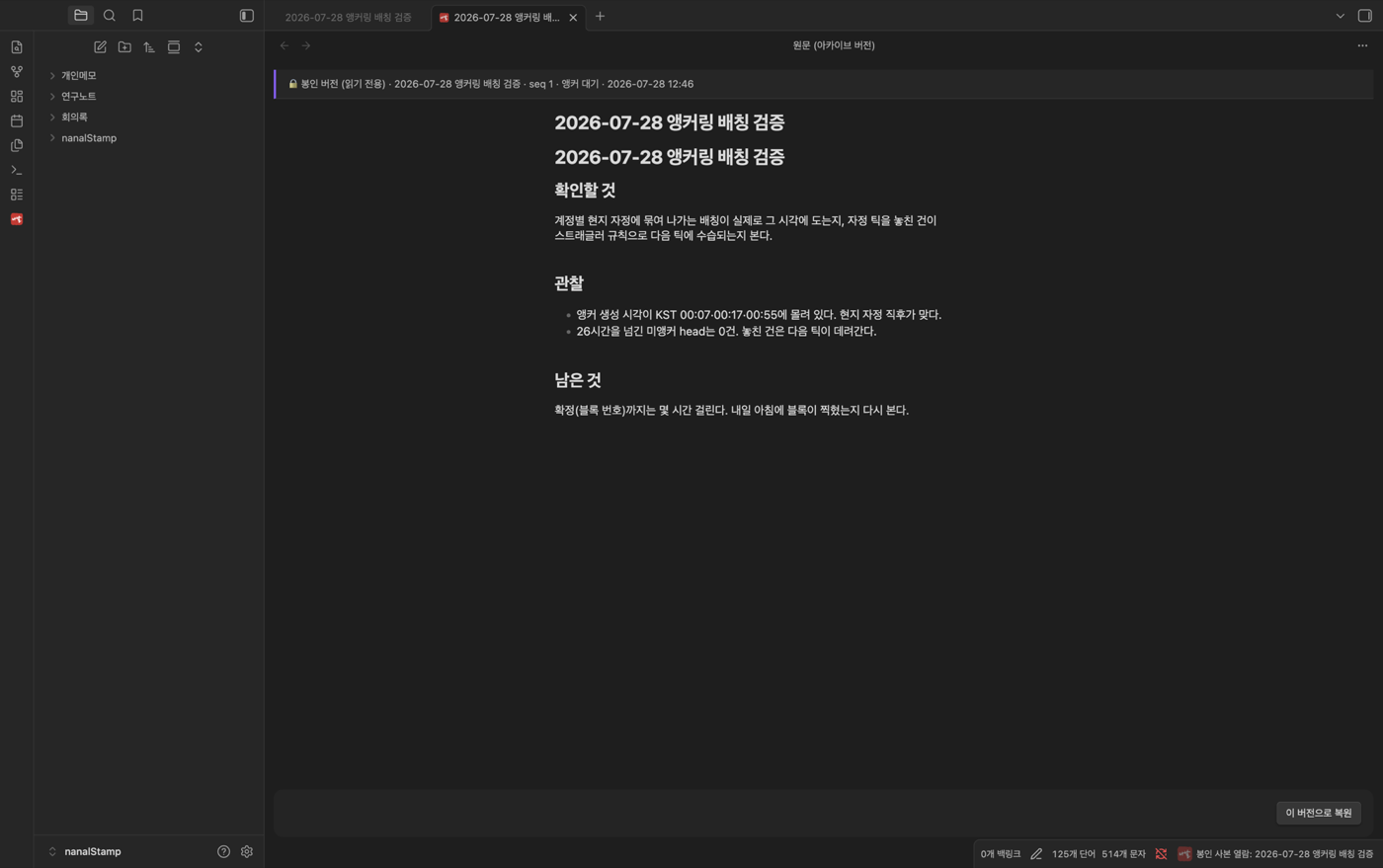
Headed "🔒 sealed version · seq N · time." You're looking into the past without touching the current note — nothing to overwrite by accident.
2. Rolling back
"Restore this version" offers two choices:
- Restore as a copy — current note untouched; a copy lands in
nanalStamp/restored/ - Restore in place — the current note becomes that version
When in doubt, restore as a copy — compare first, replace later if
you still want to.
3. Recovering deleted notes — Rewind
Deleted a note? Ribbon → "Rewind — find deleted notes."
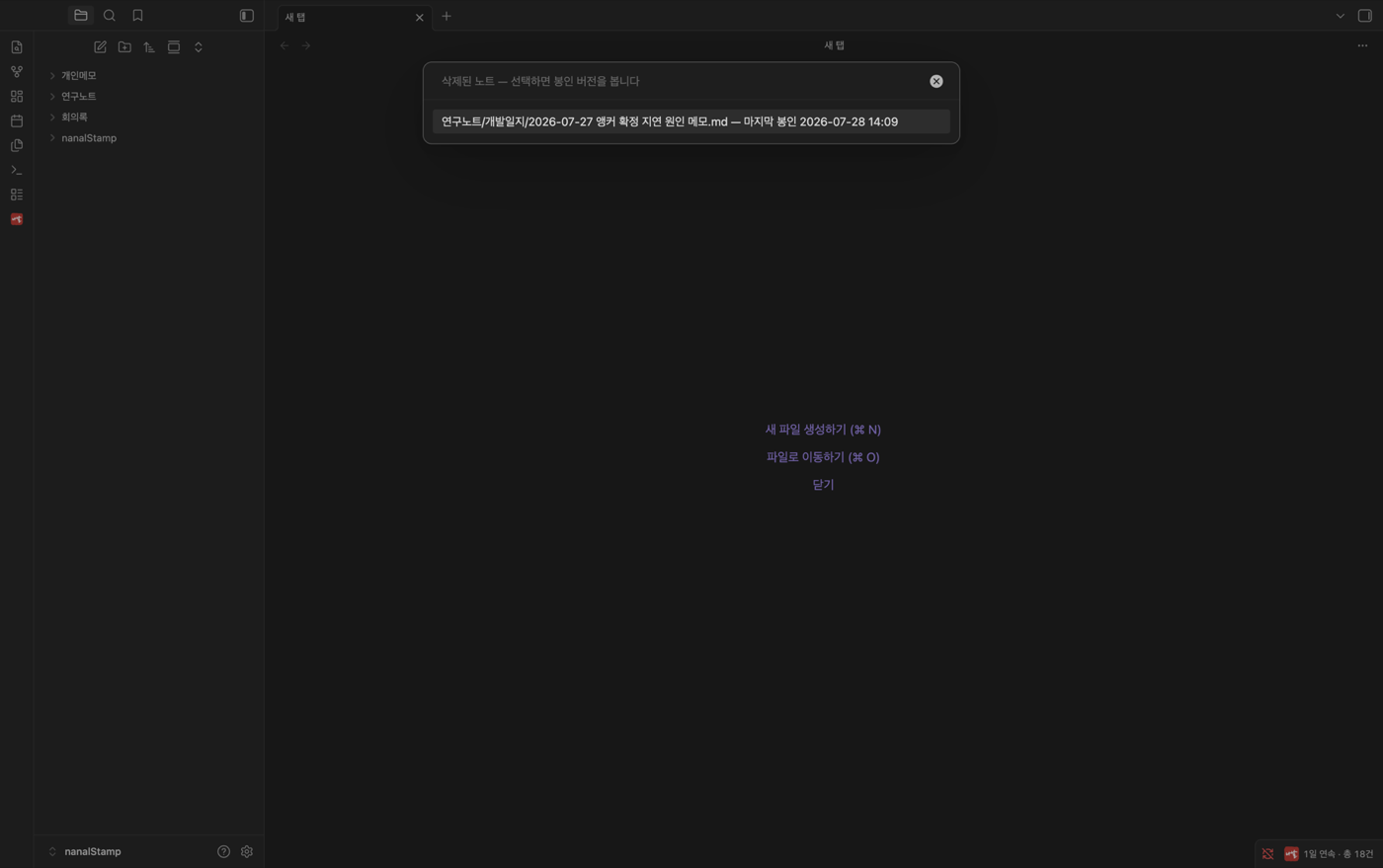
Only notes deleted from this vault are listed. Pick a note and a version, then "Restore in place" — "⏪ restored."
The restored text is byte-identical to the original, and it is resealed immediately — so the fact that a restore happened is itself on record. Even recovery can't be done quietly; that is a property of the seal chain. When an auditor asks "was this note deleted and recreated?", you show the history as-is.
4. Rebuilding everything — bulk restore
Changed machines, or lost the vault? Ribbon → "Bulk restore (from nanalStorage)." A modal shows the scope (note count, size) and your free allowance (twice a year); running it reconstructs your notes under nanalStamp/restored-vault/<timestamp>/ in their original folder structure, attachments included.
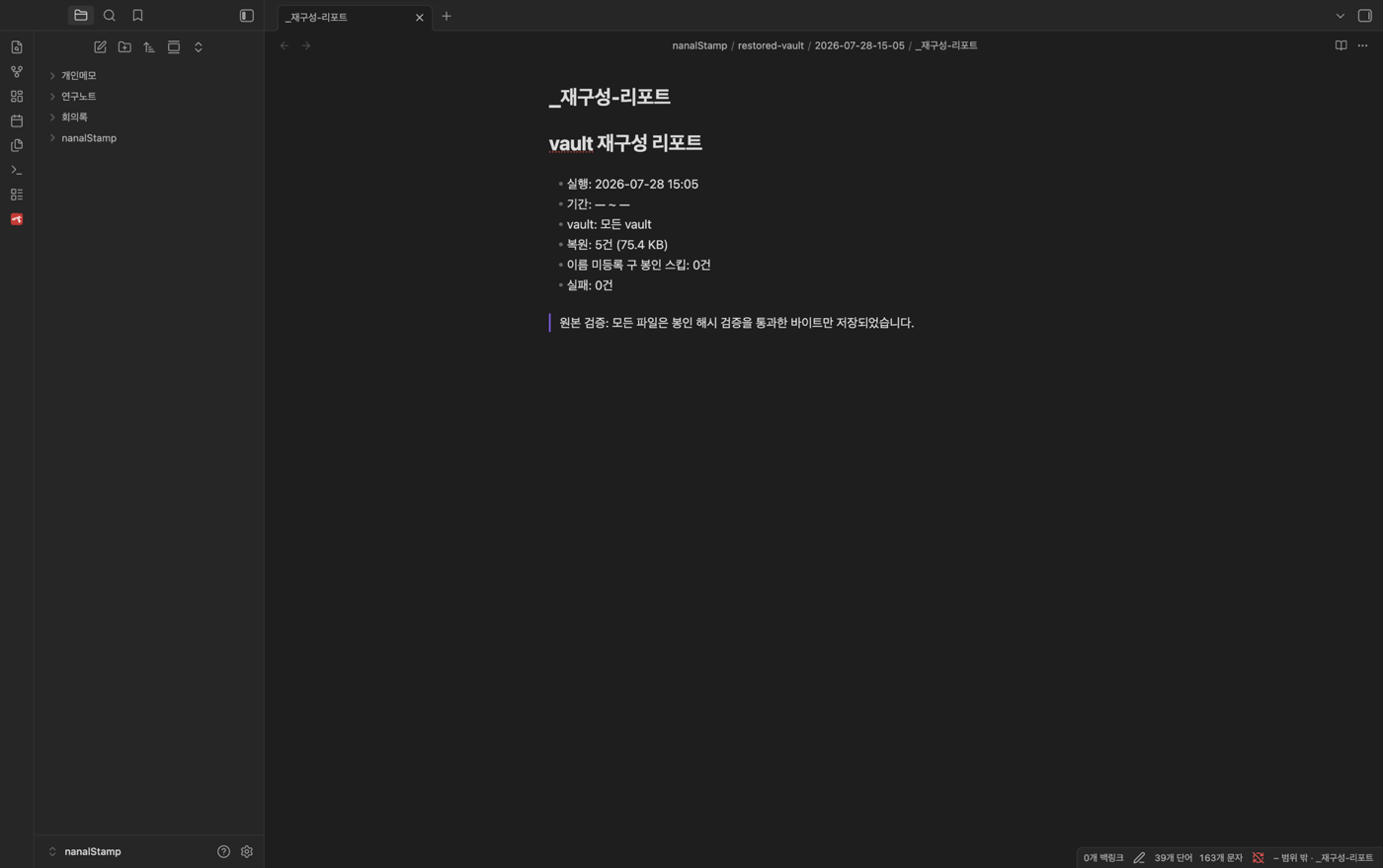
Afterwards a reconstruction report records what was restored and what wasn't — free-tier-era notes whose originals aren't in the cloud yet are listed as "no stored copy." Honest reporting, not failure (subscribe and they backfill, then restore too).
To browse everything stored in the cloud day-to-day, use ribbon → "Browse stored notes" — vault filters and per-note version history, on mobile too.
Next: Proving it — certificates, public links, offline verification, submission packages