 nanalLabs Blog
Scaling sealing from one person to an organization raises two problems: every member's folder structure drifts apart, and the admin can't see the state of the records. nanalStamp teams solve both by pushing structure down automatically and pulling management up to the web.
Members — almost nothing to set up
When an admin invites you, an email arrives with a password-setup link (valid 7 days). Set a password and you're done — no sign-up, no email verification. Install the plugin as usual and log in:
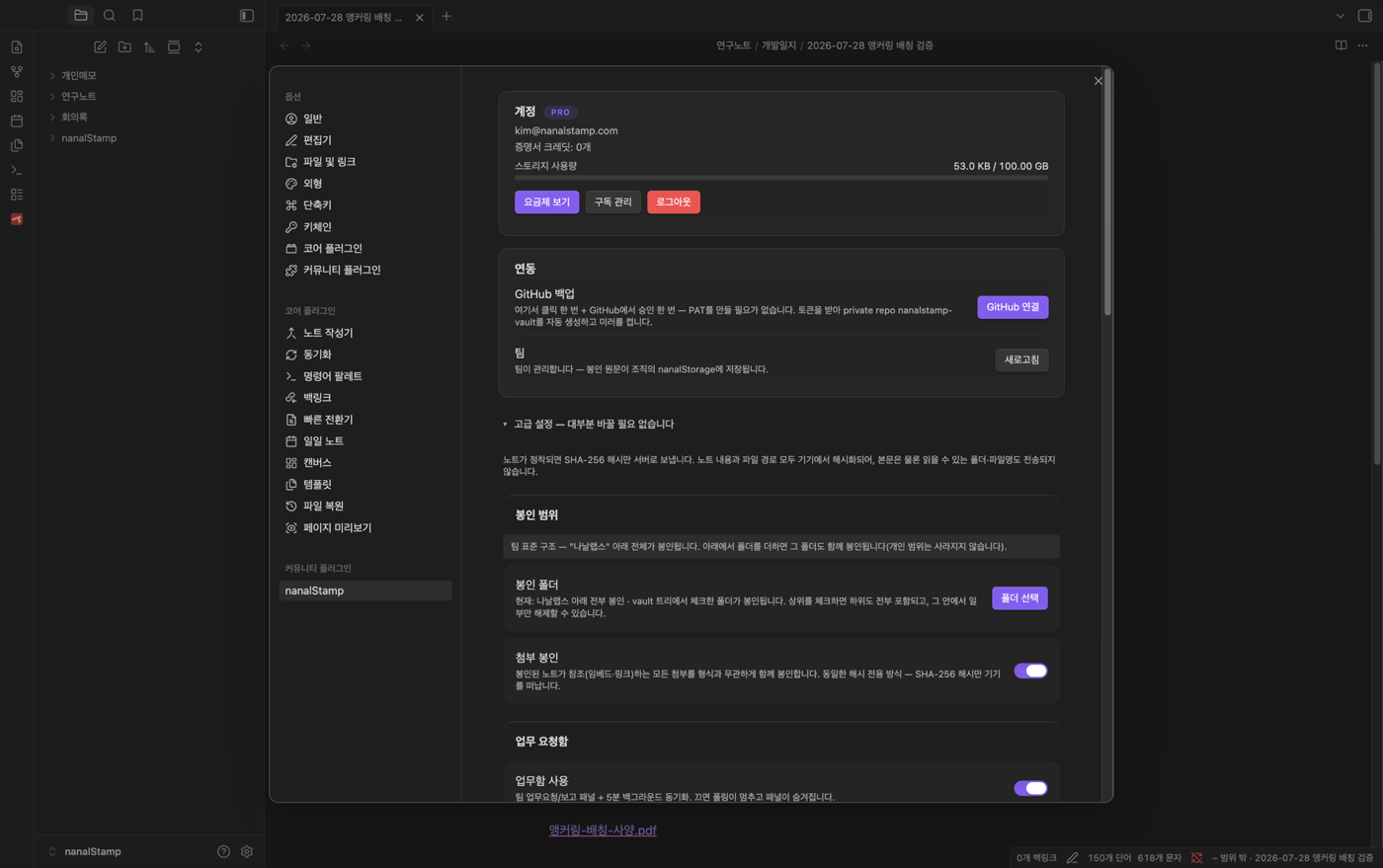
The team profile arrives automatically — and members get original storage (PRO privileges) without a personal subscription, with originals going to the team's storage.
The sealing scope is already decided:
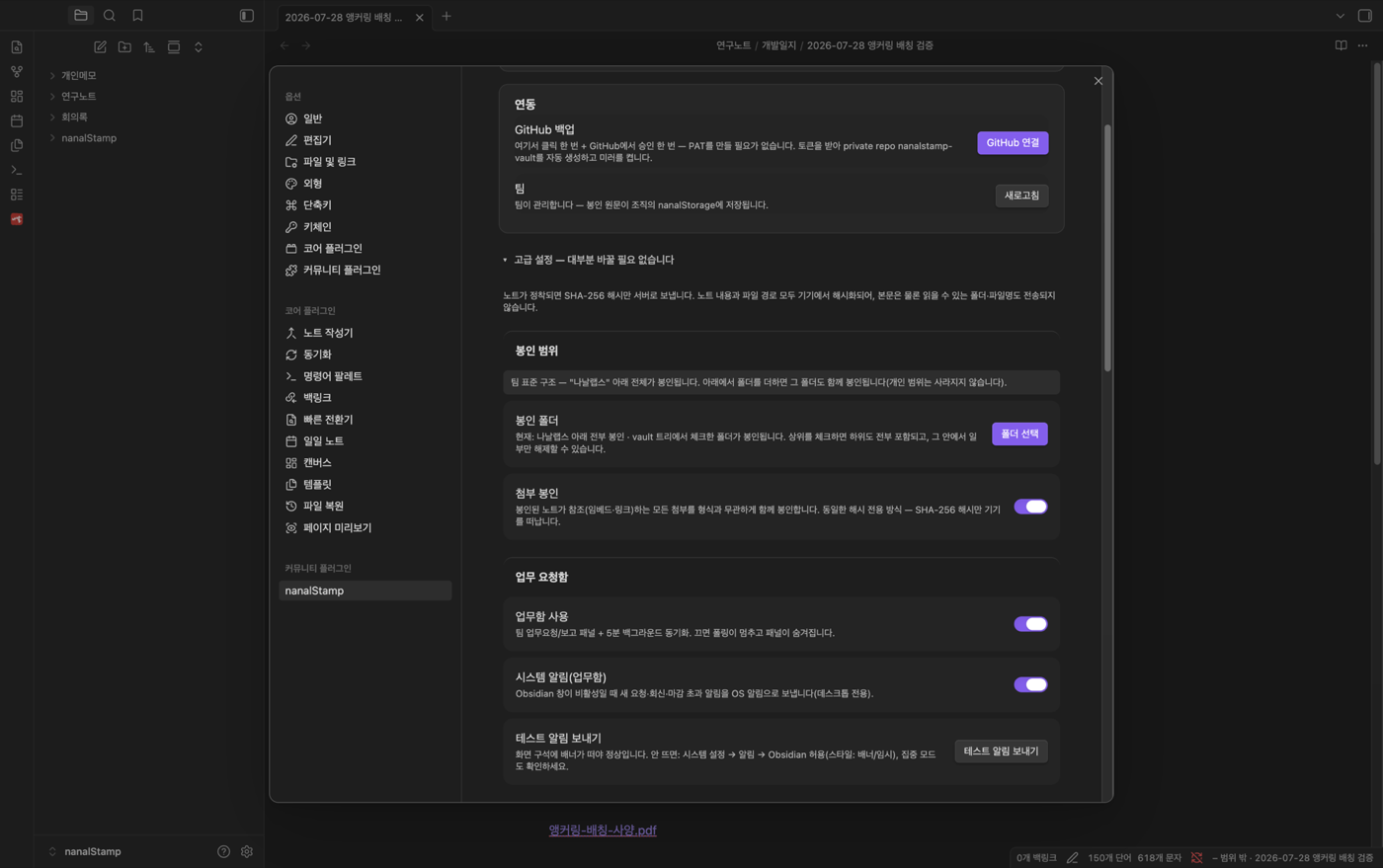
"Team standard structure — everything under the team root is sealed." Nothing to choose, and members can't un-set it. In exchange, notes outside the team root are never sealed and never counted in team statistics — a personal journal in the same vault stays invisible to the team, structurally.
Admins — everything on the web, no Obsidian required
Admins contract seats on the pricing page, then work in the web team console: dashboard · research projects · task inbox · audits · reports · kits · settings.
Team name = the top-level folder in every member's vault. Set it in Settings → "Folder structure & templates" and deploy — every member gets the same structure, split into "Common" (standard folders) and "Projects" (per-project folders).
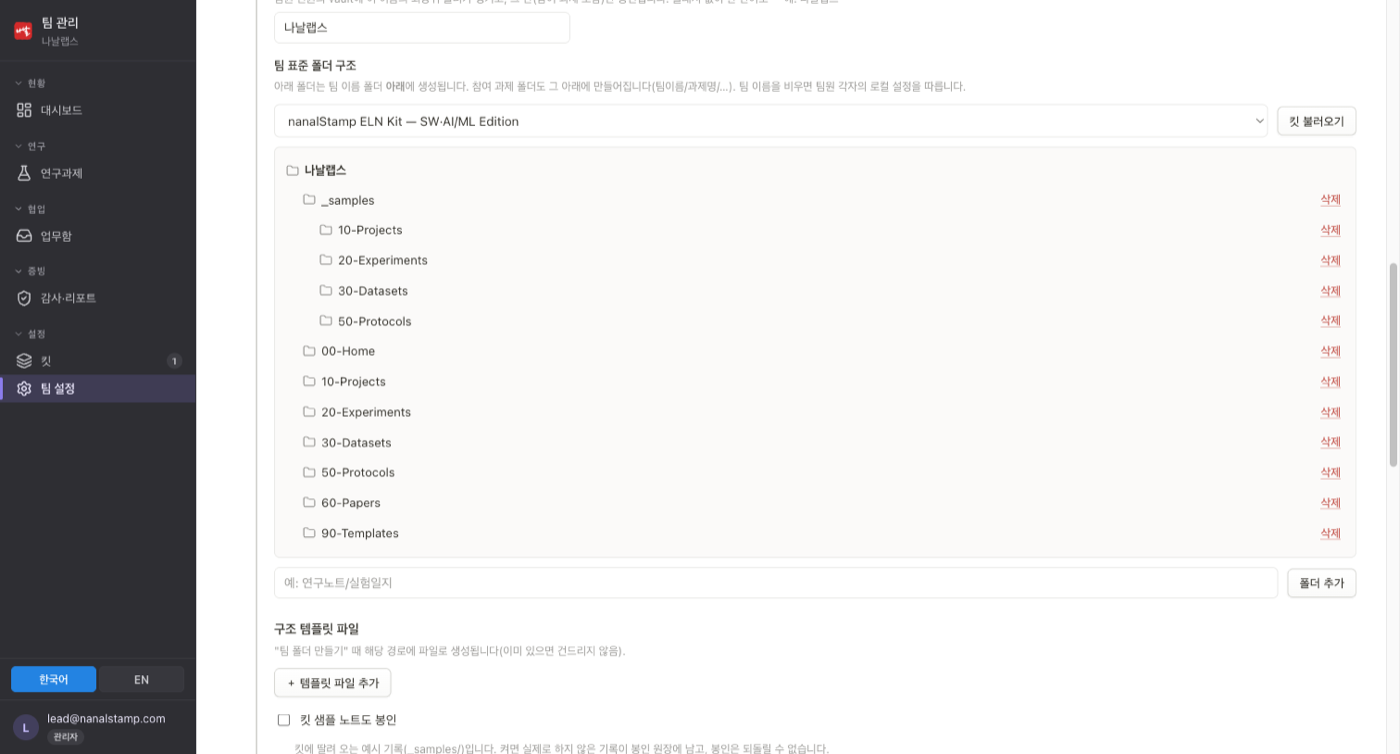
Open any member's vault and the same folders are in the same places. A new hire never has to ask "where does this go?"
The standard structure comes from kits
Settings → "Kits" shows what the team owns; the kit store has more.
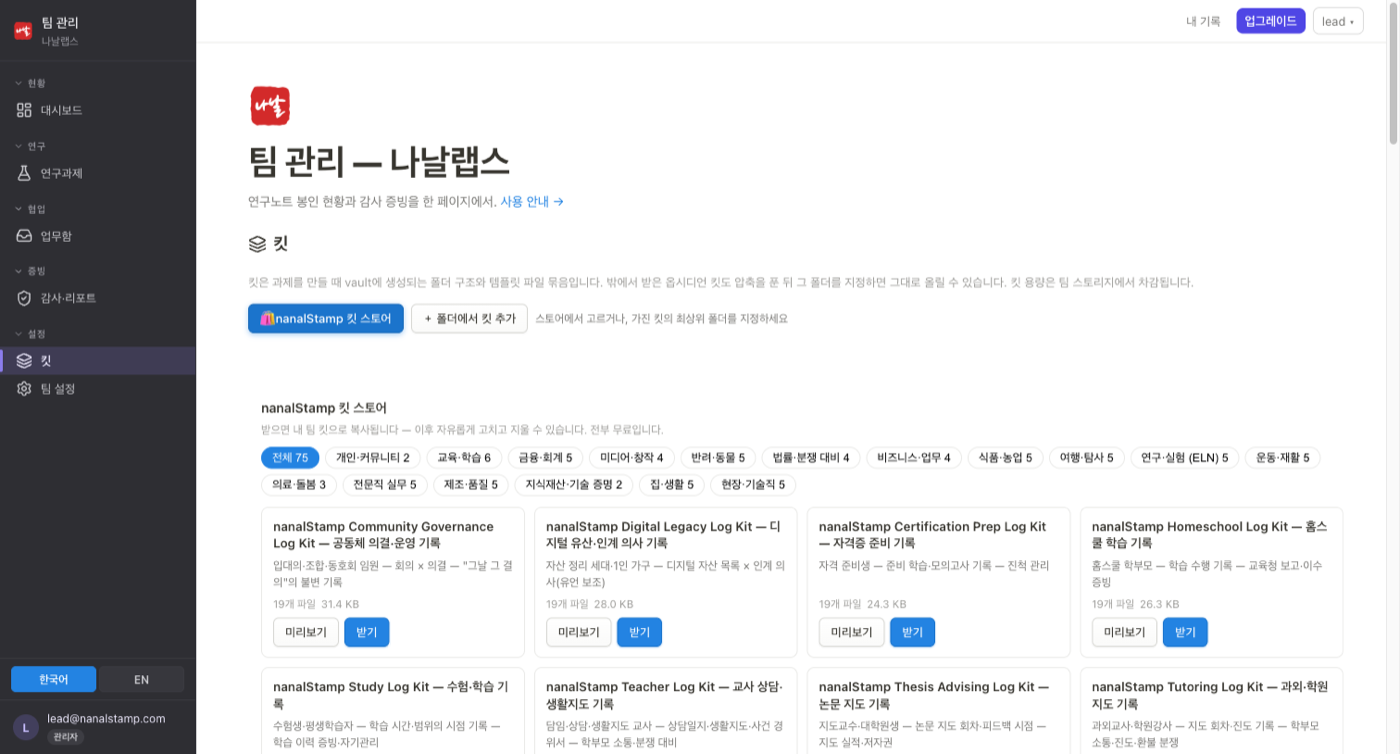
New teams start with four team-structure kits (numbering-based, compliance-based, project-centric, dev-lab), and every kit is free. Downloaded kits become the team's own — edit or delete freely.
Per-folder rules travel with the structure: "new notes in this folder use this template, titled prefix-date." Members get templates filled and titles assigned automatically. Templates are edited in exactly one place — the kit — so there's never a question of which copy is authoritative.
Evidence by research project
Records written under a project folder are attributed to that project. Per-project evidence status, completion reports (a full audit report of the project's seal history when it ends), per-member activity, and audit-response screens all live in the team console — monthly audit reports are issued and archived automatically.
For the full step-by-step, see the team guide.